Admin Dashboard Deployment
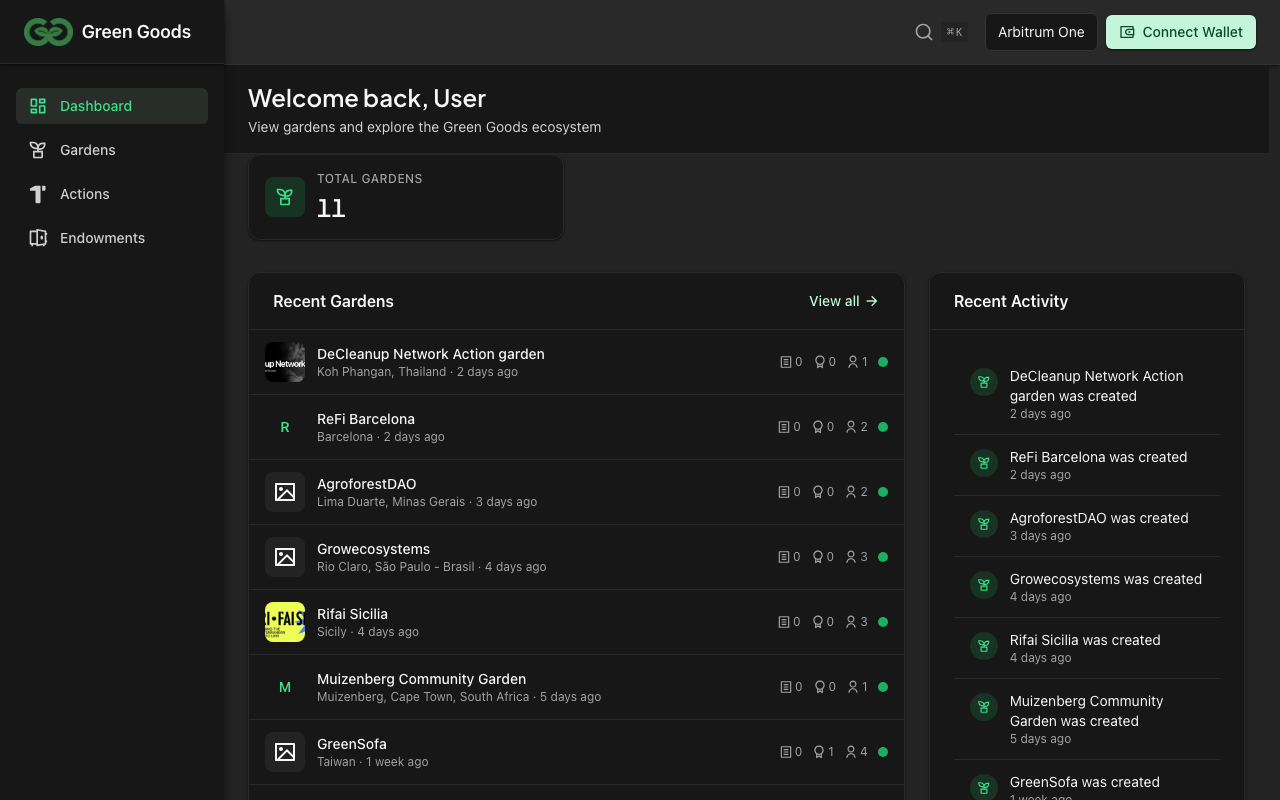
The admin dashboard is a Vite + React SPA for garden operators. It shares the same build toolchain and dependency chain as the client but targets desktop browsers and does not include service worker or offline-first capabilities.
Deployment Checklist
- Verify
bun run testpasses inpackages/admin - Confirm shared package is built with matching version
- Set correct
VITE_CHAIN_IDfor the target environment in the root.env - Build with
bun run build:admin - Deploy static output from
packages/admin/dist/ - Verify routing fallback is configured on the host (
/* -> /index.html (200)) - Check role-based access works with a connected wallet
Build Environments
Build Dependencies
Like the client, the admin build is single-chain and depends on:
packages/contracts-- ABI JSON and deployment artifactspackages/shared-- All React hooks, modules, and shared components
Environment Variables
The admin uses the same root .env as all other packages:
| Variable | Purpose |
|---|---|
VITE_CHAIN_ID | Target chain for deployment artifacts and RPC config |
VITE_WALLETCONNECT_PROJECT_ID | WalletConnect for wallet connection |
VITE_ENVIO_INDEXER_URL | Envio GraphQL endpoint for data queries |
VITE_POSTHOG_ADMIN_KEY | Admin PostHog project token for browser analytics |
VITE_API_BASE_URL | Agent API origin for public API calls and signed upload URLs |
VITE_ALCHEMY_API_KEY | Optional RPC provider key for higher-capacity reads |
Additional admin-specific variables may include API keys for services like Hypercerts marketplace. Vercel must use VITE_POSTHOG_ADMIN_KEY for Admin analytics; VITE_PUBLIC_POSTHOG_KEY is not read by the app, and Admin intentionally does not fall back to the client VITE_POSTHOG_KEY. The admin Vercel project is a static Vite app and does not need database variables such as DATABASE_URL, POSTGRES_*, PG*, or NEON_PROJECT_ID.
Testing
The admin workflow lane (admin.yml) runs on changes to packages/admin/**, shared dependencies, relevant contract artifacts, root dependency/config files, and validates:
- Vitest unit and component tests
- Lint checks via oxlint
- Type checking via TypeScript
E2E tests for the admin lane run in the focused admin-ci Playwright project, covering admin smoke and production-flow specs.
Making A Deployment
Build Process
# Build for production
VITE_CHAIN_ID=42161 bun run build:admin
Static Build Output
The build outputs to packages/admin/dist/. This is a standard SPA with a single index.html entry point and hashed static assets.
Hosting Configuration
Since the admin uses client-side routing (React Router), the hosting provider must serve index.html for all routes. Configure a fallback/rewrite rule:
/* -> /index.html (200)
Role-Based Access
The admin dashboard uses Hats Protocol for role-based access control. Routes are protected by the RequireRole component which checks if the connected wallet wears the required hat:
- Deployer -- Can deploy contracts and manage protocol settings
- Operator -- Can create/manage gardens, actions, and assessments
- Gardener -- Can view and submit work (primarily a client-side role)
Access checks happen client-side by querying the Hats contracts. The admin does not have its own auth backend.
Query Persistence
The admin uses @tanstack/react-query persistence via the shared createQueryPersister() helper. This provides faster page loads on return visits without claiming full offline support.
The admin wires persistence in packages/admin/src/main.tsx, and the shared persistence helpers live under packages/shared/src/config/query-persistence.ts.
Storybook Integration
Admin components have Storybook stories that are pulled into the shared Storybook instance. Admin stories follow the title hierarchy Admin/Components/* and Admin/Views/*.
Running admin stories locally:
cd packages/shared && bun run storybook
This starts the unified Storybook that includes stories from all three UI packages.
Source Maps
Vercel runs bun run build only. PostHog source-map upload runs from the GitHub Actions admin.yml lane on trusted main pushes; its upload credentials are GitHub repository secrets, not Vercel project variables. The admin Vercel project must not carry GG_ENABLE_SOURCEMAPS: the flag now makes the production build emit source maps (as hidden) and skip the public-map strip, so setting it on Vercel would publish browser source maps. It belongs only to the Actions upload lane, which deletes the maps after uploading them to PostHog.
Set these variables as GitHub repository secrets:
| Variable | Purpose |
|---|---|
POSTHOG_ADMIN_ENV_ID | PostHog environment ID for the admin app |
POSTHOG_CLI_TOKEN | PostHog token with source-map upload permissions |
Production Vercel deploys do not require these PostHog variables. The GitHub Actions source-map upload job fails closed if the PostHog source-map variables are missing.
Resources
Next page
Next: Deploy the Agent Bot
The agent bot provides Telegram integration for work submission and blockchain interactions.
Agent Deployment