Mint Impact Certificate
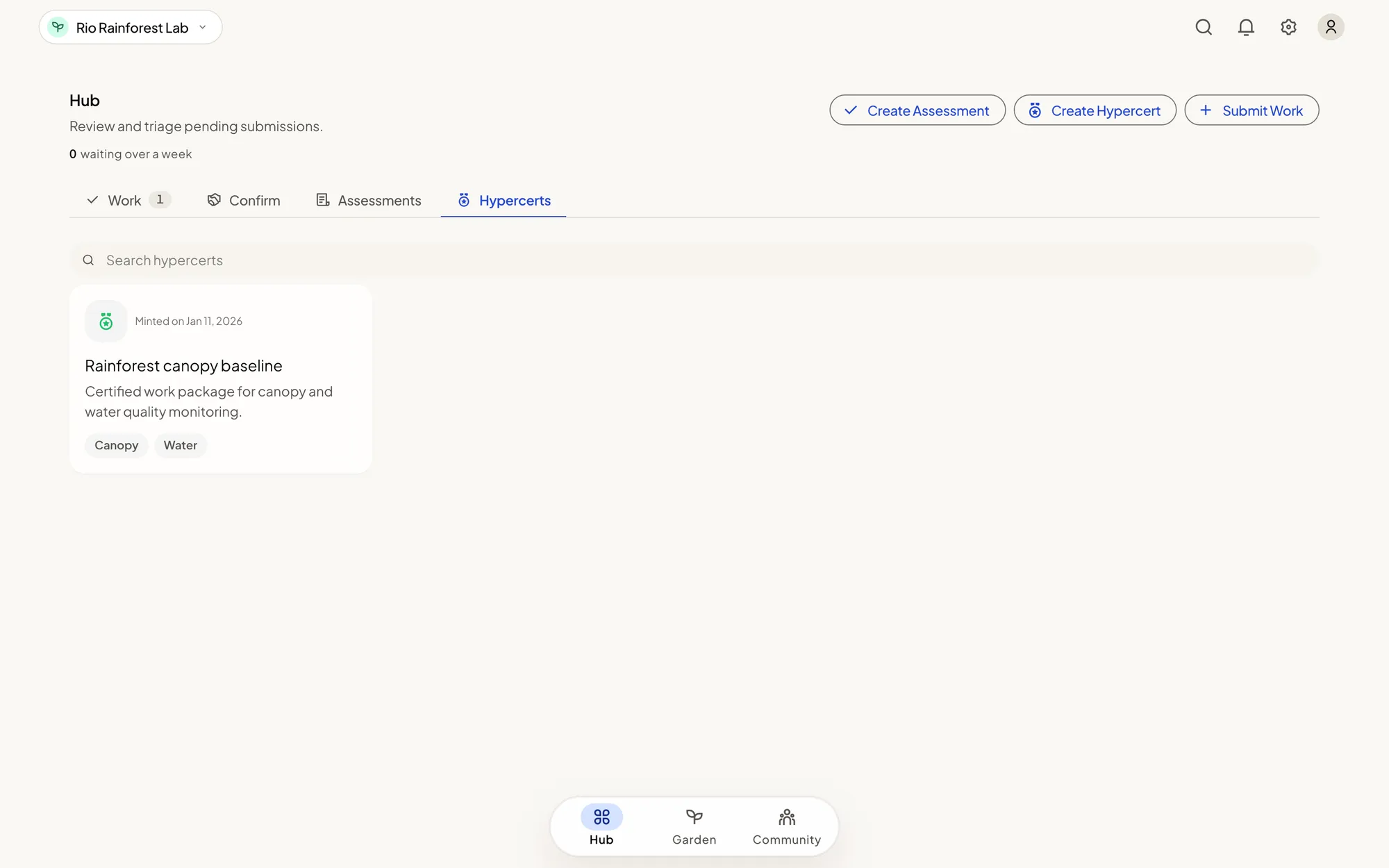
An impact certificate bundles a body of approved work into one claim: "this garden did this, in this period." The dashboard calls it a Hypercert. It is the same thing.
Certificates are not fully available yet. The form is in the dashboard for stewards and owners, and Green Goods is still building the path that makes a minted certificate show up and work everywhere. Before you plan a season around one, read the limits on this page and ask the Green Goods team where your garden's network stands.
This form bundles selected approved work. It has no pool-season or campaign selector and does not certify a commitment cycle. If you want a future certificate linked to a pool period, leave that period Reconciled and read End a Season before archiving it.
Before you start
- Be a steward or owner of the garden. Evaluators can read certificates. They cannot create one.
- Have approved work that belongs together. Pending and rejected work cannot go in. Work that is already in a certificate cannot go into a second one.
- Know the claim you are making: what was done, by whom, and between which dates.
- Have each contributor's account address, and agree how the certificate's units are shared among them.
- Take your time. A certificate cannot be changed after it is minted.
What belongs in one certificate
Group work that tells one story: one kind of work, one period, one initiative. A smaller certificate with a clean trail is worth more than a large one padded with unrelated or weak submissions. If you are unsure whether a piece of work fits, leave it out. It can go into a later certificate.
Steps
- Open Hub and tap Create Hypercert. You can also start from an assessment's record, or from the Hypercerts tab when it is empty.
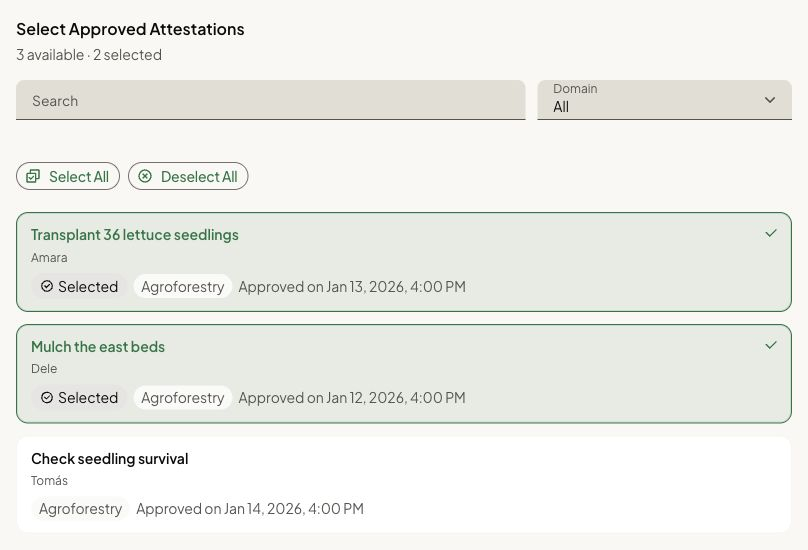
- Attestations: select the approved work this certificate covers. Work marked Bundled is already in another certificate.
- Metadata: describe the impact. Give the certificate a title, say what work it covers, and set the dates the work ran between.
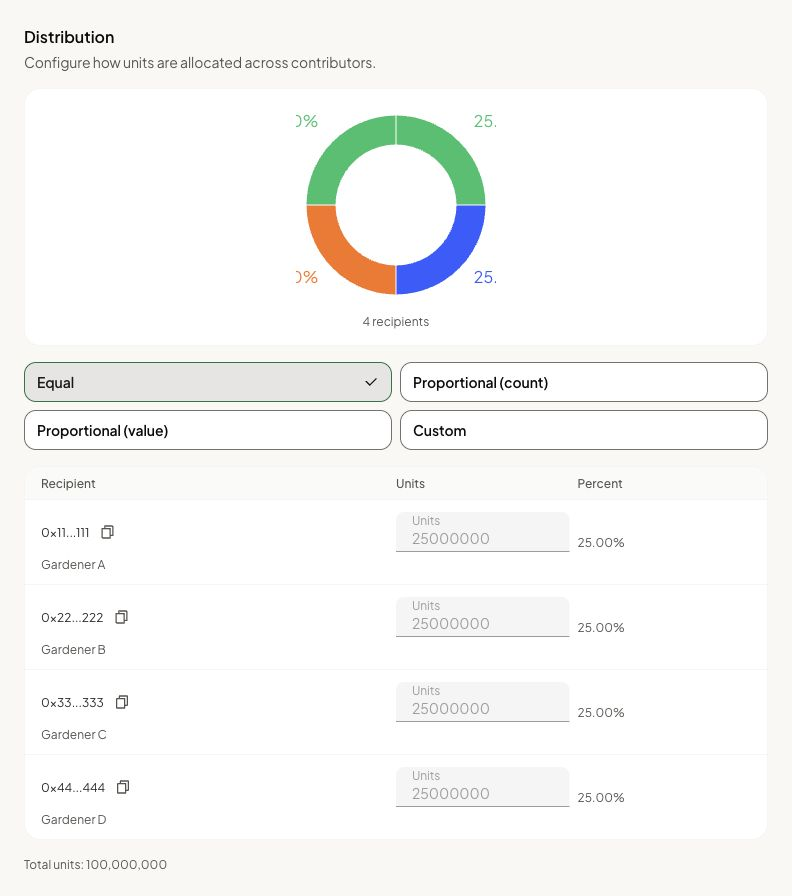
- Distribution: share the certificate's units among the contributors. These are certificate units, not money payouts.
- Review: check everything, then tap Mint Hypercert and confirm. The dashboard may ask you to confirm a second time.
- When it reads Hypercert minted, tap Done to open its record.
How you know it worked
- The Review step reads Hypercert minted.
- Done opens the certificate's record.
- The certificate appears on the Hub's Hypercerts tab. It can take a moment to show everywhere.
What happens next
The certificate is now a public record that names the work it covers and each contributor's share.
Two things do not happen yet, and it is better to say so to your gardeners than to let them expect otherwise:
- Contributors cannot collect or use their share inside Green Goods. The share is recorded. There is no screen for claiming it.
- Nobody can buy a certificate through Green Goods. There is no purchase step for funders in the product today.
If something goes wrong
| What you see | What to do |
|---|---|
| You don't have permission to mint for this garden | You need the steward or owner role in the garden shown at the top left |
| No approved, unbundled attestations are available yet | There is no approved work left to bundle. Review work first |
| Select at least one attestation to continue | Choose at least one piece of work in the first step |
| You cannot move past Metadata | A title, what the work covers, and both dates are required |
| You cannot move past Distribution | Check each contributor's address and that the shares add up |
| The mint fails or never finishes | Do not try again and again. Note the message and ask the Green Goods team, because certificates are still being switched on |
| The certificate is missing from the Hypercerts tab | Give it a moment. If it does not appear, send the Green Goods team the garden and the time you minted |
To reach the Green Goods team, ask in the Green Goods community on Discord.
Next step
See how support reaches your garden today, and what you can and cannot do with it from the dashboard.