Submit Work
Submit a clear record of something you did in your garden so a steward can review it. You pick what you did and where, add photos, fill in a few details, and send it.
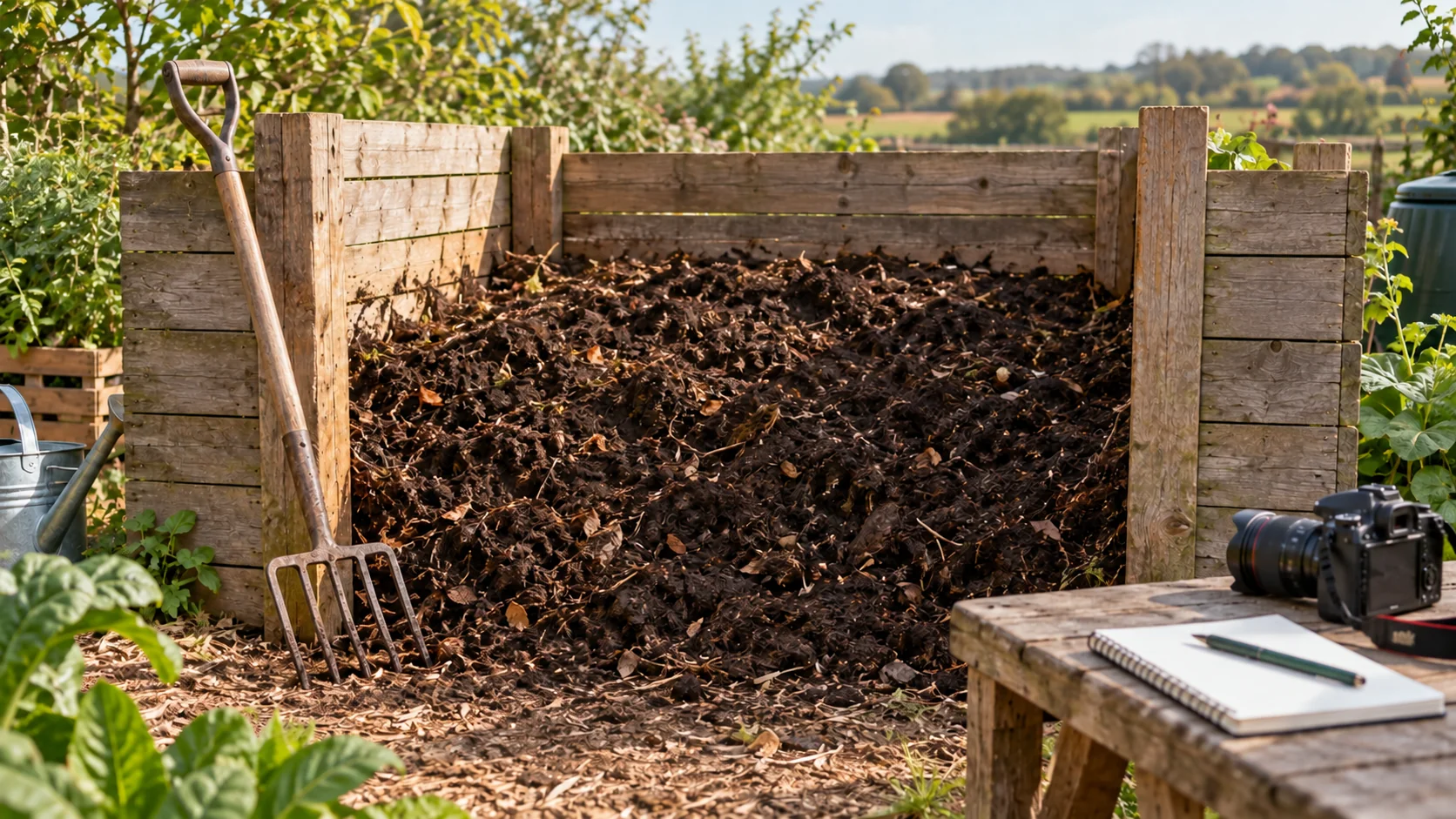
Before you start
- Sign in with the account that joined the garden.
- Be a member of the garden. Only gardens you belong to appear when you submit. See Join a Garden.
- Know which action matches your work. An action is the kind of work your garden has agreed to track, such as planting, a clean-up, or a panel check. If two seem close, ask your steward before you submit.
- Have your evidence ready: photos, and a short video or voice note if it helps.
- Weak signal is fine. Your work is saved on your phone as you go, and you can send it later.
Steps
The top of the screen shows where you are: Start, Media, Details, Review.
Step 1: Choose the action and garden
Every submission starts with what you did and where you did it.
- Tap Garden in the bar at the bottom of the app.
- Under Select Your Action, tap the action that matches the work you completed. If your garden covers more than one area of work, use the tabs along the top, such as Solar, Agro, Education, or Waste, to narrow the list.
- Under Select Your Garden, tap the garden you are submitting for.
- Tap Start Gardening. It stays gray until you have picked both.
A Promise section may appear once you have picked both. Your work does not need one. If this work fulfills a promise, choose that promise and its matching requirement before continuing. If it says No eligible promises match this garden and action, there is nothing to choose. The promise guide explains linking existing work and the difference between linked, approved, and counted.
If you left work unfinished earlier, the app asks Continue Previous Work? first. Tap Continue Draft to pick it up, or Start Fresh to begin a new one. The draft stays in Your Work either way.
Choose the action and garden before you add evidence. A correct submission is much easier to approve.
Step 2: Add evidence
Evidence should make the work easy to verify.
Uploaded photos and other media are public. When you are online, the app can prepare queued photos and details in public storage before you tap Upload all. Preparing those files is separate from sending the work record. Only include what you are comfortable making public; see what to keep out of your photos.
- Read the line under Upload Media. It says what this action needs to see.
- Use Choose from Your Photos or Take a Photo. Turn on Record a voice note if a spoken explanation would help.
- Watch the counter, for example 1 of 2 photos. It turns into 2 photos added when you have enough.
- Retake anything blurry, dark, or incomplete before you move on.
- Tap Details. It stays gray until the action has the photos it needs.
Limits: up to 10 files and 50 MB in one submission. Each photo can be up to 10 MB. A video can be up to 20 MB and 30 seconds long. A video does not count toward the photos an action needs.
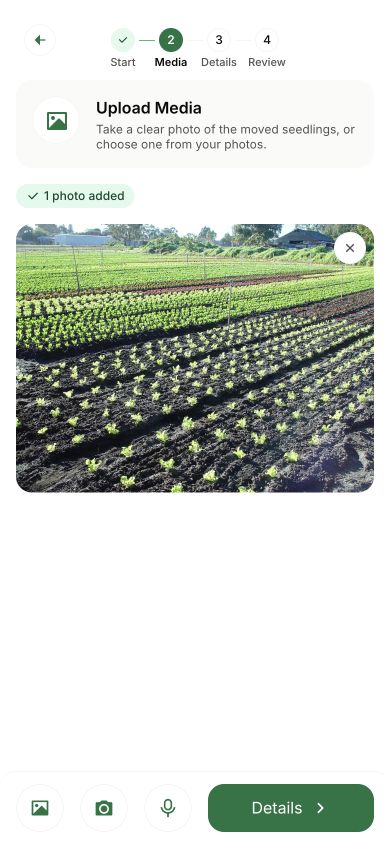
A clear photo usually beats a long explanation.
Use your own photos, taken where and when the work happened. That is what makes the record worth trusting.
Step 3: Add details
Details are different for each action. Your steward's team chose the questions.
- Fill in each field. A red star marks a field you must answer.
- Use real numbers. Do not type placeholder text where a count or a measurement belongs.
- Time Spent (hours) is optional. Decimals are fine, so 1.5 means an hour and a half.
- Share Location is optional and off until you turn it on. It adds your approximate location, to about 100 meters, and that location is published with the work.
- Add a note under Feedback if it helps the steward understand what happened.
- Tap Review Work. It stays gray until every required field is filled.
Make the details concrete enough for a steward to verify without guessing.
Step 4: Review and upload
One last look prevents most rework.
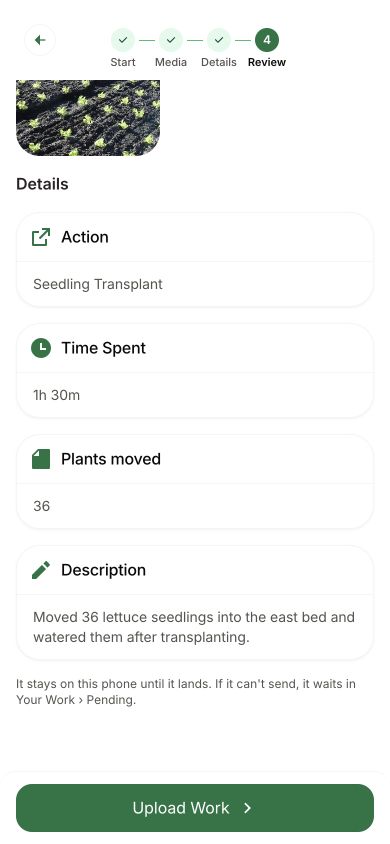
- Check the garden, the photos, and your answers.
- If anything is wrong, use the back arrow and fix it.
- Tap Upload Work.
- Confirm when your phone or wallet asks. With a passkey, use your fingerprint, face, or screen lock.
If you are offline
Green Goods is built for the field.
- The steps are the same without a signal, as long as you have opened the app online before. When you tap Upload Work, a message says Saved offline, and the work waits on your phone.
- When you are back online, open Your Work and tap Upload all. Nothing is added to the garden's record until you do.
- Do not submit the same work twice because the first one has not gone yet. Keep the queued copy; clearing app storage or removing the app can lose work you have not sent.
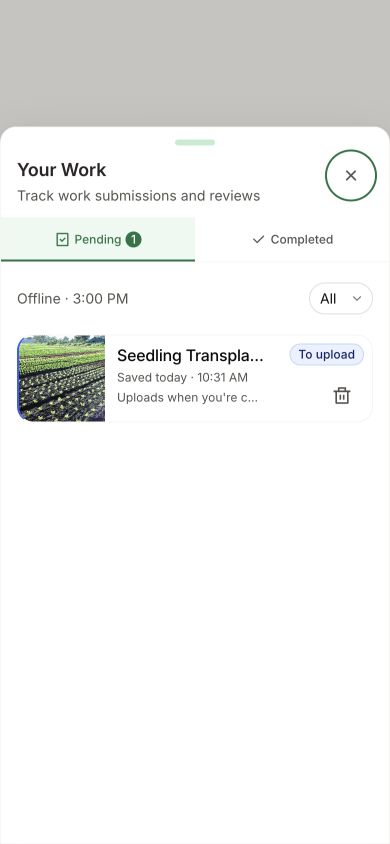
How you know it worked
- Online: a message says Work uploaded. The app takes you to Your Work, where the item is marked In review.
- Offline: a message says Saved offline. In Your Work the item is marked To upload.
What happens next
A steward of your garden reviews the work. They either approve it or reject it with a note on what to fix. Green Goods does not send you an alert when they decide, so check Your Work from time to time. Track Your Work explains every status you can see there.
Once work is sent, it becomes part of the garden's public record and cannot be edited or deleted. If you made a mistake, tell your steward. They can reject it so you can submit a corrected one.
If something goes wrong
| What you see | What to do |
|---|---|
| No actions to choose from | The garden has no action open right now. Ask your steward |
| Your garden is not in the list | You are not a member yet, or you are signed in to a different account. See Join a Garden |
| Start Gardening, Details, or Review Work stays gray | Something is missing on this step: an action or garden, a photo the action needs, or a field with a red star |
| Some files were not added | The file is not a photo or video the app can read, or it is over the size limits above |
| Upload canceled | You closed the signing confirmation. The work record was not sent. Find it in Your Work, on Pending, ready to upload or discard. Media may already have been prepared in public storage |
| Connection unstable | The work is saved and waiting. Send it from Your Work when your signal is steady |
| A draft says a photo is no longer readable | Remove that photo, then add it again from the Media step |
| You have 20 drafts | Delete a draft you no longer need to make room. Your other drafts are safe |
For anything that will not send, see Recover Unsent Work. To reach a person, ask in Discord.
Next step
See whether your work is still queued, with a steward, or reviewed, and what to do next.